
 Install on Shopify
A PIM manages structured product data. A CMS manages marketing content. They are not alternatives — they solve different problems, and conflating them is one of the most common and costly mistakes in eCommerce operations.
Here is the clearest way to think about it:
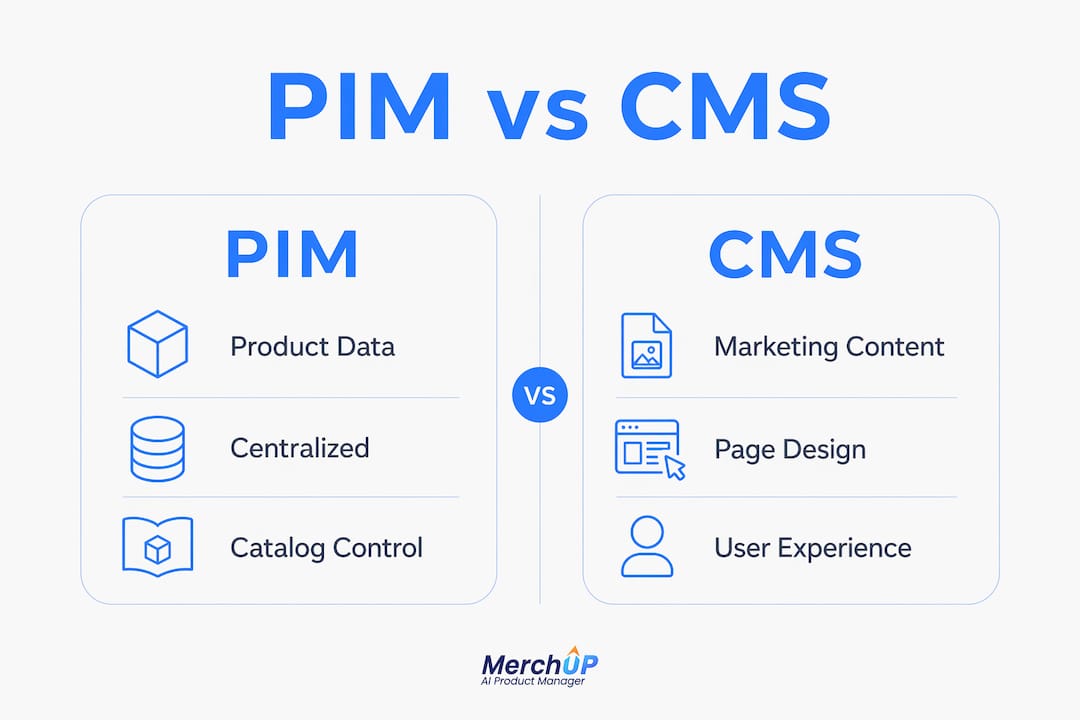
- PIM (Product Information Management): the single source of truth for SKUs, specifications, pricing, variants, and compliance data across every channel
- CMS (Content Management System): the tool for creating and publishing web pages, banners, blogs, and marketing layouts that shape the customer experience
- PIM answers “what is this product?” CMS answers “how do we present it?”
- Mixing the two causes data duplication, inconsistent listings, and painful replatforming later
- AI tools like Merchup AI sit across both layers, pulling validated product data and generating SEO-optimised descriptions ready for your storefront
Pro Tip: Never store product attributes inside your CMS page templates. Once your catalogue grows past a few hundred SKUs, that approach breaks. Keep product truth in a PIM, and feed your CMS via API from day one.
What is the difference between PIM and CMS in eCommerce?
PIM and CMS each handle a distinct layer of your eCommerce operation, and understanding that boundary prevents a great deal of operational pain.

A PIM centralises product information from multiple sources, structures it in a governed database, and pushes it out to every sales channel simultaneously. When a specification changes, it changes once in the PIM and propagates everywhere. That is the core value: accuracy at scale.
A CMS, by contrast, is built for content velocity. It lets editors create landing pages, write blog posts, run promotional campaigns, and manage media without touching a line of code. Traditional CMS platforms tie content tightly to page templates, which works well for editorial content but poorly for structured product data.
Key PIM capabilities:
- Centralised product catalogue with variant management across sizes, colours, and configurations
- Multi-channel syndication to websites, marketplaces, and retail partners
- Data enrichment workflows with ownership tracking and completeness scoring
- Localisation for translated descriptions, regional pricing, and compliance requirements
- Retailer data feeds formatted to partner specifications
Key CMS capabilities:
- Page creation and publishing across websites, apps, and digital touchpoints
- SEO management including metadata, URL structures, and content scheduling
- Marketing campaign management with banners, promotions, and editorial content
- Drag-and-drop editors for non-technical teams
- Integration with analytics and personalisation tools
The risk of conflating the two is concrete. Mixing product data into CMS page models causes data duplication, slows replatforming, and breaks content parity across channels. A retailer managing 5,000 SKUs through CMS templates will spend more time fixing errors than selling.
How do PIM and CMS work together to drive results?
Treating PIM and CMS as competitors misses the point entirely. The most effective eCommerce architectures use PIM as the backend source of product truth and CMS as the front-end content engine, connected via API.
With an event-driven API integration, the CMS fetches product data from the PIM in real time. Content editors work with accurate, up-to-date product information directly inside the CMS, enriching it with editorial copy, imagery, and campaign context. There is no duplication because there is only one source.
“Integrating a PIM with a headless CMS is a much better option. Complex product data can live in the PIM, and the CMS can fetch it in real time so there is never any duplication. Content editors can work with product data directly in the CMS, enrich it with rich media and editorial content, and easily manage how products are showcased on each digital channel.” — Hygraph
Operational improvements from PIM-CMS integration:
- Faster product launches, with 25–50% reduced time to market in typical implementations
- Fewer error-related returns, significantly lowering return rates according to the same integration data
- Consistent product detail pages across every channel without manual reconciliation
- Editors can focus on storytelling rather than copying and pasting specifications
A UK fashion retailer managing seasonal collections across its own site, ASOS Marketplace, and wholesale partners illustrates this well. Product specs and pricing live in the PIM. The CMS handles campaign pages, lookbook content, and editorial features. An AI layer generates the product descriptions that appear on each channel, pulling from the PIM and publishing through the CMS. No team member manually copies a single attribute.
Pro Tip: Use a headless CMS rather than a traditional page-based CMS when integrating with a PIM. The headless architecture lets you define your own content model and pull product data via API without being constrained by theme templates.
How Merchup AI enhances product descriptions across PIM and CMS
The gap between clean PIM data and compelling storefront copy is where most eCommerce teams lose time. Specifications are accurate but dry. Marketing teams rewrite them manually, introducing inconsistencies. Merchup AI closes that gap.
“Treating CMS as the repository for product attributes causes scaling barriers; using AI tools like Merchup bridges product data and storefront, ensuring SEO-optimised, consistent descriptions.” — Digital strategy experts, via Pimcore
Merchup AI generates, edits, and bulk-publishes product descriptions with SEO optimisation built in. It connects directly with Shopify, pulling product data and producing high-converting copy at scale. For UK sellers managing hundreds or thousands of SKUs, the productivity difference is substantial.
What Merchup AI delivers for eCommerce teams:
- AI-powered bulk generation of product descriptions from existing product data
- Customisable drag-and-drop templates and a visual editor for brand consistency
- Real-time catalogue management and activity tracking
- Direct Shopify integration, with Webflow, Wix, WooCommerce, and eBay support coming
- SEO optimisation baked into every generated description
Large UK eCommerce businesses increasingly combine PIM with CMS platforms and AI content tools to handle localisation, multi-channel syndication, and SEO at scale. Merchup AI fits precisely into that architecture: it reads validated product data and produces the content layer that CMS platforms publish.
How to choose between PIM, CMS, or an integrated approach
The right choice depends on where your operational pain actually sits. Work through these criteria:
- Count your SKUs and variants. Fewer than 200 products with simple attributes? A CMS with good product templates may suffice. Above that threshold, a PIM pays for itself quickly in time saved and errors avoided.
- Assess your channel count. Selling on your own site only? CMS-first is reasonable. Adding marketplaces, wholesale partners, or international storefronts? PIM becomes necessary for data consistency.
- Identify where errors originate. Manual updates, delayed launches, and inconsistent listings across channels all point to a PIM gap. Slow campaign delivery and poor content personalisation point to a CMS or AI content gap.
- Consider your content velocity. High-frequency promotional campaigns, editorial content, and SEO-driven blogging require a proper CMS. PIM alone cannot serve that need.
- Evaluate your technical resource. A headless CMS integrated with a PIM via API is the most flexible architecture but requires development effort. If your team is small, an AI tool like Merchup AI reduces that burden significantly by handling the content generation layer without custom integration work.
- Factor in UK-specific requirements. Localisation for different UK regions, compliance with Trading Standards product description rules, and multi-currency pricing for international expansion all favour a PIM-first or integrated approach.
Pro Tip: Start with the system that solves your biggest current pain. If your product data is a mess, fix that with a PIM before investing in CMS sophistication. If your data is clean but your content is slow and inconsistent, an AI content tool like Merchup AI delivers faster returns.
Final recommendations for UK eCommerce businesses
PIM and CMS are complementary systems, not competing ones. The businesses that treat them as alternatives end up with either chaotic product data or slow, generic content — often both.
The practical advice for UK sellers in 2026:
- Keep product truth in a PIM. Specifications, pricing, variants, and compliance data belong in a governed, structured system, not scattered across CMS page templates.
- Use CMS for what it does well. Campaign pages, editorial content, SEO-driven blogs, and promotional banners are CMS territory.
- Connect them via API. Real-time data sharing eliminates duplication and keeps every channel consistent without manual effort.
- Add an AI content layer. Tools like Merchup AI generate the product descriptions that sit between your PIM data and your CMS storefront, at a speed and consistency no editorial team can match manually.
- Review your architecture as you scale. A setup that works at 500 SKUs may not serve you at 5,000. Build with integration in mind from the start.
What operational impact does choosing PIM vs CMS actually have?
The operational consequences of getting this wrong are not abstract. A business running product data through CMS templates faces manual updates every time a specification changes, with no guarantee that every page reflects the change. Returns rise. Customer complaints follow.
A PIM-first operation pushes a single update and every channel reflects it within minutes. That is the difference between a team spending Mondays fixing listing errors and a team spending Mondays planning campaigns.
On the CMS side, businesses that underinvest in content tooling produce slow, generic product pages. SEO suffers. Conversion rates stagnate. The PIM and CMS integration model resolves both problems simultaneously.
What are the real challenges of implementing PIM and CMS systems?
Neither system is plug-and-play. PIM implementations require data migration, taxonomy decisions, and workflow design before any value is visible. Enterprise PIM platforms carry significant cost: Akeneo’s enterprise tier starts at around $45,000 per year, and implementation time adds to that investment.
CMS platforms are more accessible but create their own problems. Traditional CMS tools lack the data structure needed for complex catalogues, making product consistency a manual burden. Headless CMS platforms solve that but require development resource to configure.
The most common failure mode is attempting to use one system to do the other’s job. A CMS stretched to manage product attributes becomes brittle. A PIM used as a content publishing tool lacks the editorial flexibility teams need. Defining clear system boundaries before implementation saves considerable pain later.
Which PIM and CMS platforms are used by UK eCommerce businesses?
On the PIM side, Akeneo is one of the most widely deployed platforms for complex, large-scale catalogues, with an open-source community edition available alongside its enterprise offering. Plytix serves growing eCommerce brands at a more accessible price point, starting at around $499 per month. For smaller operations, Airtable functions as a lightweight PIM alternative, though it lacks dedicated PIM features out of the box.
For CMS, Shopify handles both storefront and basic content management for the majority of UK independent retailers. WordPress with WooCommerce remains common for content-heavy operations. Contentful and Hygraph serve businesses requiring headless architecture with strong API capabilities.
Merchup AI integrates directly with Shopify today, with WooCommerce, Webflow, Wix, and eBay support on the roadmap, making it a practical AI content layer for the platforms most UK sellers already use.
How to integrate PIM and CMS with AI tools: a practical guide
- Audit your current product data. Identify where product information lives today — spreadsheets, CMS fields, ERP exports — and assess its quality and completeness.
- Select and configure your PIM. Import your product catalogue, define your taxonomy, and establish data governance rules. Assign ownership for each data field.
- Choose a compatible CMS. For new builds, a headless CMS gives the most flexibility. For existing Shopify stores, Shopify’s native CMS combined with API integrations covers most needs.
- Connect PIM to CMS via API. Configure the integration so the CMS pulls product data from the PIM in real time. Test that updates in the PIM propagate correctly to every channel.
- Layer in Merchup AI for content generation. Connect Merchup AI to your Shopify store. Use it to generate SEO-optimised product descriptions in bulk, drawing on the clean product data now flowing from your PIM.
- Publish and monitor. Use Merchup AI’s activity tracking to monitor content performance. Iterate on templates and descriptions based on conversion data.
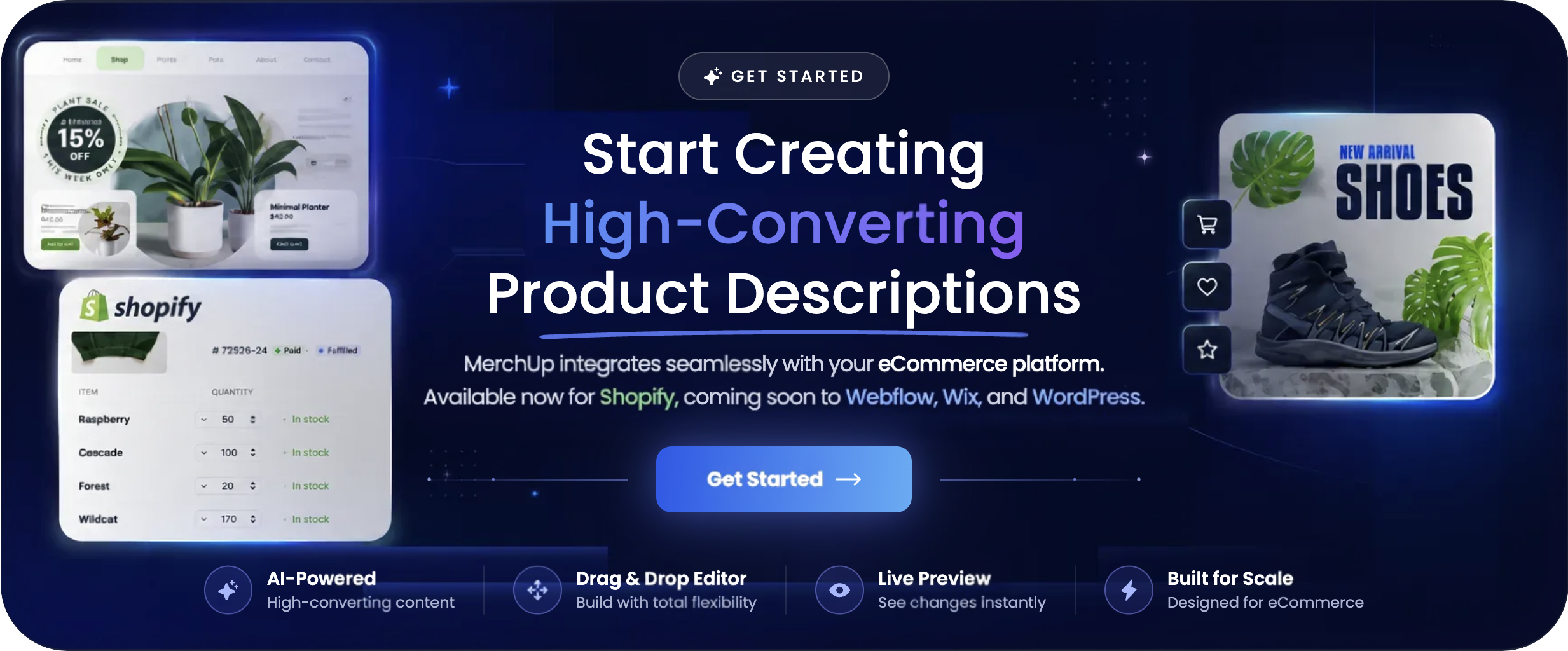
Merchup AI is built for exactly this workflow. If you are managing a Shopify store and want to close the gap between your product data and your storefront copy, start with Merchup AI and see how much time your team gets back.



Comments
No comments yet — be the first to share what you think.