



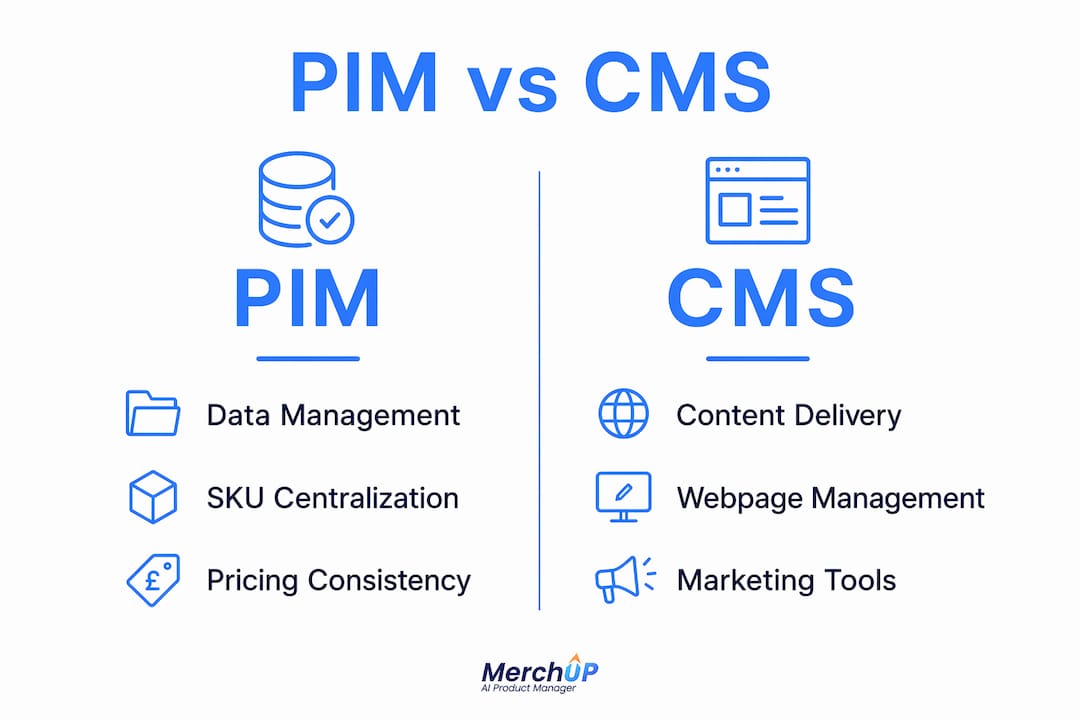
A PIM and a CMS are not competing systems. They solve different problems, and conflating them is one of the most common and costly mistakes in eCommerce operations. A Product Information Management system holds your structured product truth: SKUs, specifications, pricing, variants, compliance data. A Content Management System handles unstructured marketing content: web pages, banners, blog posts, layouts, promotional campaigns. PIM answers “what is this product?” CMS answers “how do we present it?”
For UK eCommerce businesses, the distinction matters practically. When product attributes live inside a CMS page model, you end up with data duplication and slow, error-prone updates every time a spec changes. Keep them separate, and both systems do their jobs cleanly.
Key distinctions at a glance:
- PIM centralises SKUs, dimensions, pricing, variants, and compliance data in a structured database
- CMS creates and publishes web pages, banners, blogs, and marketing assets across digital touchpoints
- PIM serves eCommerce managers and merchandisers; CMS serves content editors and marketers
- PIM is the source of product truth; CMS is the vehicle for customer experience
- Mixing the two roles causes duplication, replatforming headaches, and inconsistency across channels
Pro Tip: Never store product attributes inside your CMS page templates. Once your catalogue grows past a few hundred SKUs, that decision becomes very expensive to undo.
What do PIM and CMS actually do differently?
PIM focuses on SKUs, specifications, and pricing consistency; CMS handles web pages, banners, and blogs. That sentence sounds simple, but the operational gap between them is significant.

A PIM is built for structured data at scale. It lets teams centralise product information from multiple sources, run bulk updates across thousands of SKUs, automate data enrichment workflows, and syndicate accurate feeds to marketplaces, retail partners, and regional channels. Localisation is a core PIM function: translated descriptions, region-specific pricing, and local compliance requirements all live in one place rather than scattered across spreadsheets.
A CMS, by contrast, is built for content velocity. It gives editors the tools to publish pages quickly, run A/B tests, manage SEO metadata, and build marketing campaigns without touching a developer. Traditional CMS platforms tie content tightly to page templates, which makes integrating external product data awkward. A headless CMS improves on this by storing content neutrally and delivering it via API, making it far easier to pull in live product data from a PIM.
Core PIM capabilities:
- Centralised product catalogue with all SKUs, attributes, and specifications
- Variant management for products with multiple sizes, colours, or configurations
- Multi-channel syndication to websites, marketplaces, and wholesale partners
- Data enrichment workflows with ownership tracking and completeness monitoring
- Localisation for translated descriptions and region-specific pricing
Core CMS capabilities:
- Page creation and publishing across websites, apps, and digital touchpoints
- SEO metadata management and content scheduling
- Marketing campaign management including banners and promotional content
- Rich media management: images, videos, and downloadable files
- Personalisation and audience segmentation for content delivery
The risk of conflating the two is operational chaos: product data becomes inconsistent across channels, replatforming takes months instead of weeks, and your team spends time manually reconciling information that should update automatically.
How PIM and CMS work better together
Treat PIM as the backend engine and CMS as the front-end storyteller. The PIM holds validated, governed product data; the CMS fetches it in real time via API and wraps it in marketing narrative, rich media, and editorial context. Neither system duplicates the other’s work.
Event-driven API integrations between PIM and CMS are the industry standard for this. When a product specification changes in the PIM, the CMS reflects it immediately across every page and channel where that product appears. No manual updates, no version conflicts. For UK retailers managing seasonal ranges, regional pricing, or compliance labelling, this architecture removes a significant operational burden.
Operational improvements from PIM-CMS integration include faster product launches, cleaner product detail pages, and meaningfully fewer error-related returns. The same integration approach supports complex catalogues and regional marketing needs for large UK eCommerce businesses.
- Faster time to market: product data flows from PIM to CMS without manual re-entry
- Consistent product detail pages across all channels and regions
- Content editors work with live, accurate product data directly inside the CMS
- Reduced returns from incorrect product information
- Scalable architecture that handles catalogue growth without structural rework
Integrating a PIM with a headless CMS is a much better option. Complex product data can live in the PIM, and the CMS can fetch it in real time so there is never any duplication. Content editors can work with product data directly in the CMS, enrich it with rich media and editorial content, and easily manage how products are showcased on each digital channel.
Pro Tip: Use a headless CMS rather than a traditional template-based one when integrating with a PIM. The API-first architecture makes real-time data sync straightforward and avoids the duplication problems that plague page-template approaches.
How MerchUp AI fits between your PIM and CMS
PIM and CMS integration solves the data flow problem. It does not solve the content quality problem. Accurate product data arriving in your CMS still needs to become compelling, SEO-optimised copy before it converts a browser into a buyer. That is where AI content tools change the calculus.
MerchUp AI sits at exactly this junction. It pulls validated product data and uses AI to generate high-converting product descriptions at scale, with SEO optimisation built in. For Shopify store operators, it publishes directly to the storefront. Bulk generation means a catalogue refresh that would take a copywriter weeks can be completed in hours, with consistent brand voice and keyword targeting across every listing.
Key capabilities MerchUp AI brings to a PIM-CMS workflow:
- AI-powered product description generation from structured product data
- Bulk publishing directly to Shopify, with Webflow, Wix, WooCommerce, and eBay support coming
- Customisable drag-and-drop templates and a visual editor for brand consistency
- SEO optimisation built into every generated description
- Activity tracking and real-time catalogue management
- Credit-based model with monthly or annual subscription plans
Treating AI as a strategic layer between your PIM and CMS, rather than a bolt-on afterthought, is what separates eCommerce teams that scale content efficiently from those that remain bottlenecked by manual copywriting.
For UK sellers managing large catalogues or frequent range updates, the productivity difference is substantial. Accurate data from your PIM feeds MerchUp AI; polished, optimised copy lands in your CMS or directly on your Shopify storefront.
How to choose between PIM, CMS, or an integrated approach
-
Audit your current pain points. If product data is inconsistent across channels, if your team spends hours manually updating specs, or if a replatform sounds terrifying, PIM is the priority. If your content team cannot publish campaigns without developer support, CMS capability is the gap.
-
Assess catalogue complexity. Fewer than a few hundred SKUs with simple attributes can often be managed within a well-structured CMS or eCommerce platform. Beyond that threshold, a dedicated PIM pays for itself quickly in reduced errors and faster launches.
-
Consider your channel footprint. Selling across your own site, Amazon, wholesale partners, and regional markets simultaneously makes PIM almost non-negotiable. The syndication and localisation capabilities are built for exactly that scenario.
-
Factor in content velocity. If your marketing team publishes new campaigns weekly and needs to personalise content by audience or region, a capable CMS is not optional. A headless CMS gives the most flexibility for integration.
-
Add AI as the content layer. Tools like MerchUp AI reduce the integration burden by generating optimised descriptions from product data automatically, which means smaller teams can operate at a scale that previously required dedicated copywriting resource.
-
Account for UK-specific requirements. Compliance labelling, VAT-inclusive pricing display, and regional language variants are all easier to manage when product data governance sits in a PIM rather than scattered across CMS templates.
Pro Tip: Align your platform choice with where you expect to be in three years, not where you are today. Migrating product data out of a CMS once your catalogue has scaled is a project most teams underestimate badly.
What are the real operational impacts of PIM vs CMS?
The operational difference shows up most clearly at scale. A CMS managing product data manually creates a compounding problem: every new SKU, every pricing update, every compliance change requires someone to touch multiple pages across multiple channels. Teams spend time on reconciliation rather than growth.
A PIM centralises that governance. One update propagates everywhere. For UK retailers with seasonal ranges, that means a summer-to-autumn transition does not require a week of manual edits. For brands selling through wholesale partners with strict data formatting requirements, PIM generates correctly formatted feeds automatically.
The CMS operational impact is different but equally real. Without a capable CMS, marketing teams depend on developers for every content change. Campaign agility suffers. SEO suffers. A well-configured CMS gives non-technical editors genuine autonomy over the customer experience, which directly affects conversion rates and organic traffic.
What are the main challenges of implementing PIM and CMS?
Neither system is plug-and-play. PIM implementations require significant data migration work upfront: cleaning, normalising, and structuring product data that has often lived in spreadsheets or legacy systems for years. Enterprise PIM platforms like Akeneo have substantial yearly costs, and implementation costs add to that. Even mid-market options like Plytix require meaningful setup time.
CMS implementations are generally faster but carry their own risks. Traditional CMS platforms struggle with complex product data, and migrating from one CMS to another once content is deeply embedded in page templates is painful. Headless CMS platforms offer more flexibility but require developer resource to configure properly.
The most common failure mode for both systems is underestimating the data quality work required before go-live. A PIM populated with inconsistent or incomplete data does not solve the consistency problem; it just centralises it.
Which PIM and CMS platforms are used in the UK market?
On the PIM side, Akeneo is one of the most widely deployed platforms for complex, large-scale catalogues, with an open-source community edition available alongside its enterprise tier. Plytix is a popular choice for growing eCommerce brands focused on product content and channel publishing. Airtable functions as a lightweight PIM for smaller catalogues, particularly when budget is a constraint.
For CMS, Shopify covers both storefront and basic content management for most UK eCommerce businesses, though its content modelling capabilities are limited for complex catalogues. WordPress with WooCommerce remains widely used for content-heavy stores. Headless CMS platforms including Contentful and Hygraph are increasingly adopted by UK retailers who need API-first flexibility for multi-channel delivery.
The most effective setups in the UK market combine a dedicated PIM for data governance with a headless CMS for content delivery, augmented by AI tools like MerchUp AI for product description generation at scale.
How to integrate PIM and CMS with AI tools, step by step
- Audit and clean your product data in whatever system currently holds it. Incomplete or inconsistent data will produce poor results at every subsequent stage.
- Implement or configure your PIM as the single source of truth for all product attributes, pricing, and compliance data.
- Connect your PIM to your CMS via API, using event-driven integration so that changes in the PIM propagate to the CMS automatically without manual intervention.
- Configure your CMS to handle editorial enrichment: rich media, marketing copy, SEO metadata, and promotional content that sits alongside the product data.
- Layer in MerchUp AI to generate SEO-optimised product descriptions from your validated PIM data, and publish them directly to your Shopify storefront or CMS.
- Establish governance workflows so that product data changes follow a defined approval process before they propagate downstream.
- Monitor and iterate: track content performance, description conversion rates, and data quality metrics, then use MerchUp AI’s activity tracking to identify where descriptions need refreshing.


Comments
No comments yet — be the first to share what you think.