


AI writing credits are a metered billing currency: each time your store generates a product description, triggers a re-edit, or runs a bulk publish, the platform deducts a set number of credits from your balance. That single mechanic turns content production into a measurable line item, which is useful when you are scaling a catalogue but painful when you have not budgeted for it. FindSkill.ai and other industry explainers use a working convention that assigns an approximate dollar value to each credit for rough mental arithmetic. At that rate, a 1,000-SKU bulk run is not a flat monthly fee; it is a calculation you need to do before you hit publish.
Platforms such as MerchUp sit squarely in this credit model, pairing a subscription seat with a pooled credit bucket that teams draw from as they generate and publish. Understanding the mechanics before you commit to a plan saves money and prevents the surprise top-up bill that catches most merchants in their second month.
How does credit-based billing actually work?
Credit-based models act as a meter for repeated, production-scale AI tasks. The lifecycle is straightforward: your plan allocates a credit bucket at the start of each billing period, the platform deducts credits in real time as you trigger AI actions, and your dashboard shows a running balance. When the bucket empties, you either pause or top up.
A few mechanics trip merchants up:
- Subscription buckets vs top-up packs. Plan credits typically reset monthly and unused credits do not roll over. Top-up packs, by contrast, often sit in your account without expiry — useful for seasonal spikes.
- What counts as a billable action. Single description generation, re-generation, multi-pass editing, agent runs, and bulk publishing all consume credits. Viewing a draft or copying existing copy does not.
- Overage behaviour. Some platforms pause generation when the balance hits zero; others allow overage and charge it on the next invoice. Know which applies to your plan before running a large batch.
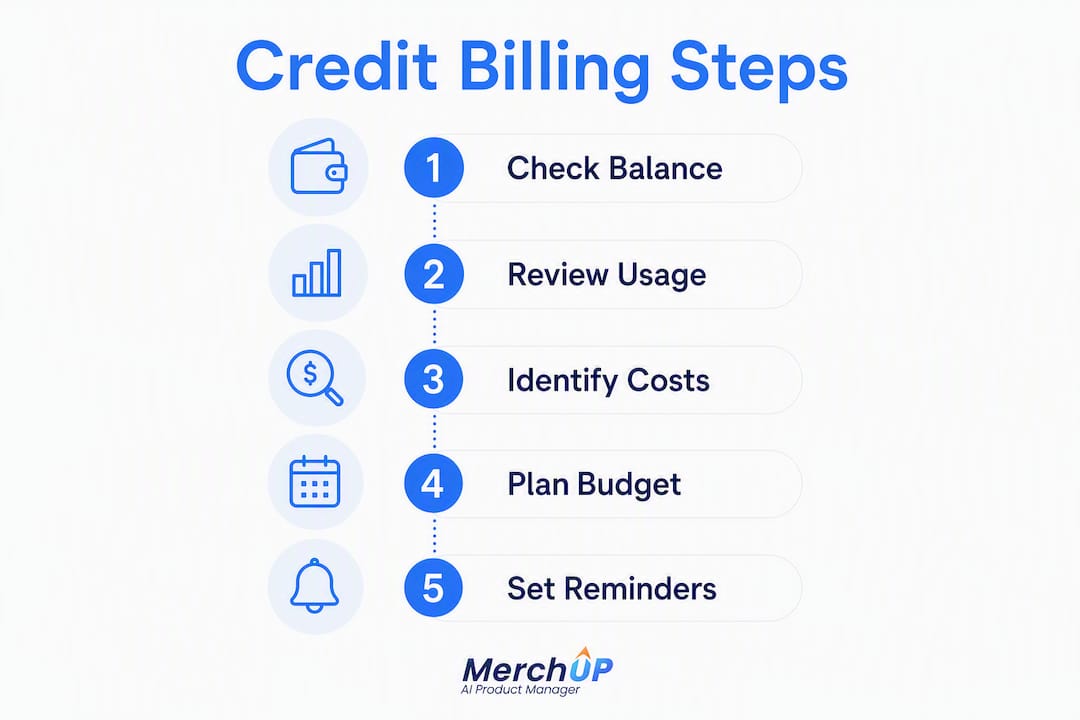
When you open a credit dashboard, check these four things: current balance, per-action usage log, cost per action type, and the next reset date.
Pro Tip: Set a calendar reminder three days before your reset date. If you have credits left and a backlog of SKUs, that is the moment to run your next batch rather than letting credits expire.

Why did the industry move from flat fees to credits?
The short answer is visibility. Flat subscriptions masked how much compute each AI task actually consumed, making it impossible for either side to measure ROI per action.
From the vendor side, Schematic’s analysis frames credits as a margin-preservation layer: they convert raw compute cost into a productised unit, hiding token-level maths from customers while protecting margin as model costs fluctuate. For merchants, the practical upside is that you can finally tie a content spend figure to a specific campaign or SKU batch, then compare it against the conversion change that followed.
The budgeting implication is real. Under a flat fee, a merchant running 5,000 re-generations a month paid the same as one running 500. Credits end that cross-subsidy and reward efficient workflows.
Which ecommerce tasks cost the most credits?
Credit consumption is non-linear: a complex SEO-optimised description can cost multiple times a simple text summary because of higher token counts and model multipliers. Tasks with multiple passes or agent steps often cost 5–10× more credits than a single, simple request.
| Task | Relative cost band | Notes |
|---|---|---|
| Short product title | Low | Single pass, minimal context |
| Standard description (100 words) | Low–Medium | One generation, basic prompt |
| SEO description with brand voice (250 words) | Medium–High | Larger context, model multiplier |
| Multi-variant descriptions (per variant) | Medium | Repeated passes per variant |
| Bulk publish per 100 SKUs | High | Agent run, multiple generations |
A worked example using the credit-to-dollar convention: generating 100 standard descriptions at 5 credits each costs 500 credits, which is roughly $5 using the de-facto industry heuristic of 1 credit ≈ $0.01. Switching to SEO-optimised descriptions at 15 credits each increases that cost to about $15 for 100 descriptions. Check your vendor’s exact credit-to-GBP conversion and confirm VAT treatment on your invoice — the $0.01 figure is a planning heuristic, not a contractual rate.
Key drivers of higher credit use:
- Longer prompts with detailed brand guidelines loaded as context
- Multiple re-generations caused by vague or inconsistent prompts
- Agent-run workflows that chain several AI steps automatically
- Higher-tier models selected for final-polish copy
How to estimate your monthly credit needs
A simple formula covers most catalogues:
(Avg credits per SKU × SKUs to update per month) + (Edits × avg edit cost) + (Bulk/publishing operations) + Buffer
Worked example — 1,000-SKU Shopify store:
- You plan to refresh a number of SKUs this month with SEO descriptions at a certain credit cost each.
- You expect a portion of those to need one re-edit at a lower credit cost each.
- One bulk publish run for those SKUs at a fractional credit cost per SKU.
- Subtotal accordingly.
- Add a buffer for unexpected re-runs.
Round up to a practical credit total for your monthly plan or top-up target.
Choose a conservative buffer (25–30%) if your prompts are still being refined or your catalogue has high product complexity. A tighter buffer (10–15%) is reasonable once you have a stable prompt template and a month of actual usage data to reference.
Pro Tip: Before committing to an annual plan, run one month on a monthly subscription and export your usage log. Real consumption data is worth more than any estimate.
UK merchants should confirm whether their vendor invoices in GBP or USD and whether VAT applies to credit top-ups, as treatment varies by provider.
Practical ways to reduce credit consumption
Cutting credit use does not mean cutting content quality. The gains come from workflow discipline, not from generating less.
- Batch generation over single runs. Grouping 50 SKUs into one job typically costs fewer credits per SKU than 50 individual requests because shared context is loaded once.
- Seed prompts with structured data. Feeding the AI a clean product data template (category, material, dimensions, key benefit) reduces the number of re-runs caused by vague inputs.
- Use cheaper models for first drafts. Reserve the highest-tier model for final SEO copy; run initial drafts on a lighter model and edit from there.
- Reuse variant skeletons. For colour or size variants, generate one master description and use a low-credit variant-swap pass rather than a full generation per variant.
- Cache common copy blocks. Brand story paragraphs, shipping policy lines, and warranty copy can be stored as static text and inserted without triggering a generation.
Pro Tip: Run a sample-first workflow: generate descriptions for 10 SKUs, review quality, fix the prompt template, then run the full batch. One prompt correction at the start saves dozens of re-runs later.
The trade-off worth measuring: aggressive credit-cutting through cheaper models may increase manual editing time. Track both credit spend and editing hours for a month, then calculate which combination gives you the lowest total cost per published SKU.
How to monitor credit spend and avoid surprise bills
A granular usage log that maps each action to its credit cost is the single most useful tool for auditing AI content spend. Without it, you are managing a budget you cannot see.
Must-have dashboard elements to check before choosing a platform:
- Real-time balance with a visible reset date
- Per-action usage log with timestamps
- Cost per action type (generation vs edit vs bulk)
- Project or tag-level consumption breakdown
- Top-up history and expiry dates
Automation rules to configure on day one:
- 80% balance alert sent to your email or Slack channel
- Per-user credit caps if multiple team members share a pool
- Automatic top-up threshold so bulk jobs do not stall mid-run
- Emergency pause at zero balance to prevent unplanned overage charges
Tagging credit consumption by campaign or SKU batch is the step most merchants skip. It is also the step that lets you answer the only question that matters: did the content spend generate enough conversion uplift to justify the cost?
How MerchUp implements credits for UK ecommerce teams
MerchUp separates the seat subscription from a pooled credit bucket, so teams share one allocation rather than each member holding a siloed balance. Top-up packs are available when a campaign pushes consumption above the monthly plan.
Features that matter specifically for UK store owners:
- Shopify integration (live) with direct publish from the editor, reducing the copy-paste steps that cause re-runs
- Pooled team wallets so a content manager and a merchandiser draw from the same bucket without duplicate top-ups
- Real-time usage log with per-action timestamps, exportable for ROI tagging
- Customisable templates and visual editor that reduce re-generation rates by giving the AI consistent structured inputs from the start
- Preflight credit estimates before bulk publish runs, so you know the cost before committing
Pro Tip: Use MerchUp’s template library to lock in your brand voice as a reusable prompt structure. Every SKU that runs through a tested template needs fewer re-runs, which compounds into significant credit savings across a large catalogue.
Exact pricing and credit pack options are listed on the MerchUp product page.
Getting started: running your first pilot on MerchUp
Start with 100–200 SKUs. A small pilot gives you real consumption data before you commit credits to a full catalogue run.
- Connect your Shopify store to MerchUp and map your product data fields (title, category, material, key attributes).
- Select or build a description template that matches your brand voice and target keyword structure.
- Run batch generation for 100 SKUs and review a 10% sample before publishing anything.
- Publish a subset of 20–30 SKUs and monitor conversion for two weeks.
- Export the usage log, calculate credits consumed per SKU, and extrapolate to your full catalogue.
Pilot metrics to track:
- Credits consumed per SKU (generation + edits)
- Time from batch start to publish-ready
- Re-generation rate (how often a description needed a second pass)
- Conversion rate change on published SKUs vs unpublished control group
Before scaling, run through this readiness checklist:
- Shopify data fields are clean and consistently filled
- Brand voice template is tested and approved
- Dashboard alerts are configured (80% balance, per-user caps)
- VAT treatment on top-ups confirmed with your accountant
- Full-catalogue credit estimate calculated from pilot data
The credit model rewards the merchants who pay attention
Most merchants treat credits as a billing detail and then wonder why their second month costs twice the first. The real issue is almost always re-runs: vague prompts, inconsistent product data, or skipping the sample-review step before a bulk job. Fix those three things and credit consumption drops sharply, often without any change to output quality.
What I find underestimated is the ROI tagging step. Merchants who export their usage log and match it against conversion data by SKU batch quickly discover which content types actually move the needle. That insight shapes not just credit budgeting but the entire content strategy. A 250-word SEO description that costs three times a standard one is worth it if conversion data backs it up — and worthless if it does not.
The credit model, for all its complexity, is the first billing structure that makes that calculation possible. Use it.
MerchUp: start your pilot and see real credit costs
Scaling product descriptions across a Shopify catalogue without a clear cost-per-SKU figure is how merchants end up with unpredictable monthly bills. MerchUp gives UK ecommerce teams a credit model built around that problem: pooled team allocations, preflight cost estimates before bulk runs, and a direct Shopify integration that cuts the re-run rate by keeping product data structured from the start.

The trial includes sample credits so you can run your first 100-SKU batch and see actual consumption before committing to a plan. Credit packs are available for seasonal spikes, and the team can walk you through a pilot setup if your catalogue has complex data or multiple brand voices to manage.
Visit the MerchUp product page to view current credit packs and start your trial, or find the app directly on the Shopify App Store.
Useful sources
The figures and frameworks in this guide draw from the following sources. The $0.01-per-credit convention used in worked examples is an industry heuristic — confirm your vendor’s exact credit-to-GBP conversion rate and check your invoices for VAT before approving top-ups. Always download a CSV usage log from your dashboard before running a large bulk job.
- AI Credits: What They Are and How They Work — Ordway Labs: explains credit lifecycle, allocation, deduction, and expiry behaviour.
- What is a credit? AI pricing explained — Tropic: analyst view on the industry shift from flat fees to credit billing and the visibility problem it solves.
- AI credits: How they work, pricing models and implementation — Schematic: covers margin preservation, token abstraction, and non-linear cost weighting for complex tasks.
- What are AI credits? — FindSkill.ai: plain-language explainer including the $0.01 per-credit mental model used for budget calculations.
- AI credits glossary — Credyt: defines how credits measure full compute cost (prompt, context, model, output) and why re-runs multiply spend.
- BookBud.ai FAQ: practitioner recommendation for granular, timestamped credit history logs to audit spend and attribute ROI.


Comments
No comments yet — be the first to share what you think.