


In a Hydrogen storefront, product content lives in the Shopify Admin and reaches the page through the Storefront API. Titles, descriptions, prices and images come from standard product fields. Specifications and extra copy come from metafields and metaobjects. SEO tags are generated in code. Your job is to make sure the Admin data is complete and structured, and that the storefront queries, renders and caches it correctly.
This guide walks through each layer, shows where stores usually go wrong, and explains how to fill the catalogue without typing every listing by hand.
TL;DR
- Hydrogen does not replace the Admin as your content source. It reads product data from the Storefront API, so the quality of your Admin listings sets the ceiling for your storefront.
- Use standard fields for the basics, metafields and metaobjects for structured extras, and the
RichTextcomponent to render rich text safely and on-brand. - SEO is code in Hydrogen:
getSeoMetaand Remixmetaexports produce tags, canonical URLs and JSON-LD, but only from the titles and descriptions you feed them. - Caching is on by default, so frequently changing content needs an explicit strategy or customers see stale copy.
- MerchUp AI fills the Admin side: it turns a photo, barcode or card scan into a full Shopify listing with SEO, so your Hydrogen storefront has something good to display.
How product content reaches a Hydrogen storefront
A theme-based Shopify store renders Liquid templates on Shopify’s servers. A Hydrogen store is a custom front end. Shopify describes the Storefront API as the way to display products and collections, add items to the cart and calculate contextual pricing, so your code asks for exactly the data it needs and builds the page itself.
That changes how you think about content. Instead of editing pages, you maintain data that code queries and composes. The practical consequences are:
- The Admin is still the editing room. Merchants, buyers and content people keep working in the Shopify Admin. Nobody edits JSX to change a product description.
- The storefront decides what is shown. If a field is not in your GraphQL query, it does not appear, however well you wrote it in the Admin.
- Structure matters more. A single blob of description text is easy to render but hard to design around. Structured data (materials, dimensions, care instructions) lets developers build proper layouts.
- Developers and content owners must agree on a schema. Before anyone writes 500 listings, settle which metafields exist, what they are called and what each one means.
If you take one idea from this article, take that last point. Most Hydrogen content problems are agreement problems between the people who write product data and the people who query it.
The three layers of product content
Standard product fields
Title, description, vendor, product type, tags, price, variants and images are the foundation. They are the cheapest to query and the first thing every storefront shows. Get these right before you invent anything custom, because they also feed search results, feeds and every other sales channel connected to the store.
Metafields for specific details
Metafields hold the details that do not belong in a general description: fabric composition, set number, grading notes, warranty length. They are addressed by namespace and key. A frequent surprise is that you cannot ask the Storefront API for “all metafields in this namespace”. As a Shopify community thread on fetching product metafields shows, you request each one individually by namespace and key, and nested metaobject values may need a follow-up request or a carefully structured query to avoid getting back only IDs.
The practical rule: keep a short, documented list of metafield keys, and write the query from that list.
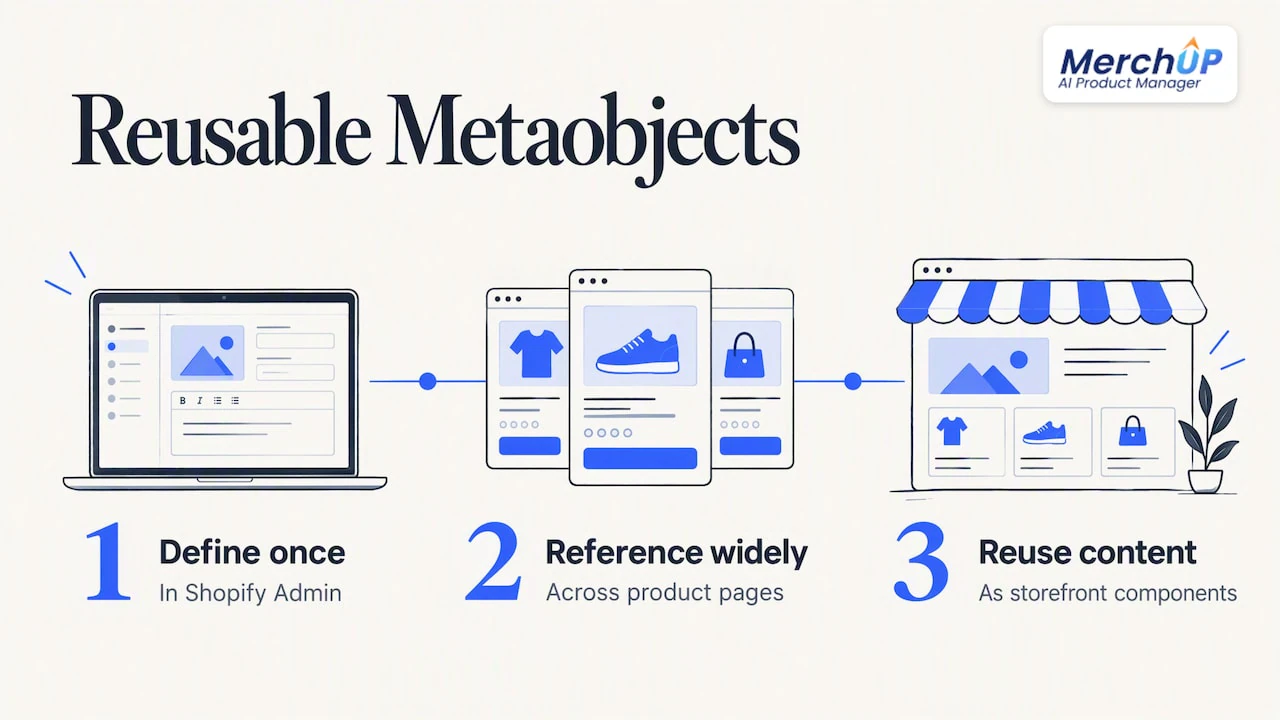
Metaobjects for reusable blocks
Metaobjects are structured entries you define once and reference from many products: a size guide, a brand story, a set of feature badges. Shopify’s Hydrogen cookbook recipe on metaobjects describes using them as a lightweight content management system, letting you create and manage dynamic content sections in the Admin that your storefront turns into reusable components. That is the right tool when the same content block appears on dozens of product pages and you want to change it in one place.
Rendering descriptions: the RichText component
When a description or note is stored as a rich text metafield, Hydrogen stores it as a JSON string. The RichText component renders a metafield of type rich_text_field into semantic HTML by default, and its components prop lets you customise how each node is rendered.
That second part is the one teams overlook. You can map bold text, lists and links to your own design-system components, so a description written in the Admin looks like the rest of your storefront rather than like pasted text. It also means writers can use ordinary formatting without any risk of breaking the page layout.
A few habits that pay off:
- Keep descriptions in short paragraphs and bullet lists. They map cleanly to components.
- Avoid pasting from word processors. Stray formatting creates odd nodes.
- Preview a real product on the storefront, not only in the Admin, before you approve a batch.
Shopify’s own updates also point out that moving to Hydrogen does not have to cost ease of use: the Summer '24 edition announcement introduced the Hydrogen Visual Editor, aimed at helping teams build and edit storefront sections without living in code.
SEO for Hydrogen product pages
In a theme, many SEO tags appear automatically. In Hydrogen, you generate them. Shopify’s SEO guide for Hydrogen explains that Hydrogen uses Remix’s built-in meta exports and provides the getSeoMeta utility, which renders titles, descriptions, images, canonical URLs, JSON-LD and more from the SEO data you pass in. The source for getSeoMeta on GitHub shows the supported fields.
The older component-based approach has been superseded. The Hydrogen team explained in a discussion on improved SEO tooling that the original component existed because Remix could not yet generate JSON-LD from route meta exports, and that this was later fixed. For new projects, use the meta export route.
What the code cannot do for you
getSeoMeta formats what you give it. It cannot write a good title, pick a keyword someone actually searches for, or describe an image. If your product seo.title is empty, you get a weak fallback. If your image alt text is blank, you get blank alt text. The tooling is the pipe; the content is still yours.
For each product page, check that you have:
- A unique meta title and meta description in the product’s SEO fields.
- A canonical URL that matches the URL structure you chose. Hydrogen gives you full control of URLs, which is freedom and responsibility in one.
- Product structured data. Our guide to Shopify product schema covers what to include and how AI-written listings fit in.
- Descriptive alt text on every product image.
- A crawlable site. A headless launch is exactly when someone ships a staging
robots.txtto production, so run through this robots.txt launch checklist before go-live.
For the wider process, our Shopify SEO checklist applies to headless stores too, since the content signals are the same.
Caching: the quiet cause of stale product copy
Hydrogen and Oxygen include built-in caching for Storefront API requests. Shopify’s caching documentation says the caching API is based on the web-standard Cache-Control API and that Storefront API data is cached automatically by default. That is good for speed and risky for freshness.
Think in two groups:
| Content type | Examples | Sensible approach |
|---|---|---|
| Mostly static | Descriptions, specifications, brand copy, images | Longer cache duration |
| Changes often | Stock status, personalised pricing, sale prices | Short or no server-side caching, fetched fresh |
Shopify’s guidance is that static product information suits a long cache duration, while highly dynamic content should bypass server-side caching so customers see accurate data. If you update a price in the Admin and the storefront shows the old one for hours, caching is the first place to look.
A simple workflow for a launch or a big content update:
- Decide the cache policy per query, not globally.
- Make your bulk content changes in the Admin.
- Load five representative product pages on the live storefront.
- Confirm titles, descriptions and prices match the Admin.
- Only then announce the new range.
Keep the data fetching simple
Shopify’s headless documentation highlights the value of combining its commerce building blocks, such as cart mechanics and variant selection, with a custom front end. The trap is over-engineering. Start with the most efficient GraphQL query that renders the page, and add fields only when a design needs them. Every extra metafield you query is a field someone must fill in for every product, and empty fields lead to awkward blank spaces in your layout.
A good test: for each metafield, name the person responsible for filling it in and the template slot where it appears. If you cannot, drop it for now.
Perspective: the bottleneck is the catalogue, not the framework
We build MerchUp AI, so we see Shopify stores at the stage where the front end is ready and the catalogue is not. Our view is simple. A fast Hydrogen storefront with thin product data is a quick way to show customers very little. Teams spend months on routes, loaders and components, and then discover that 800 products have a one-line description, no tags and no alt text.
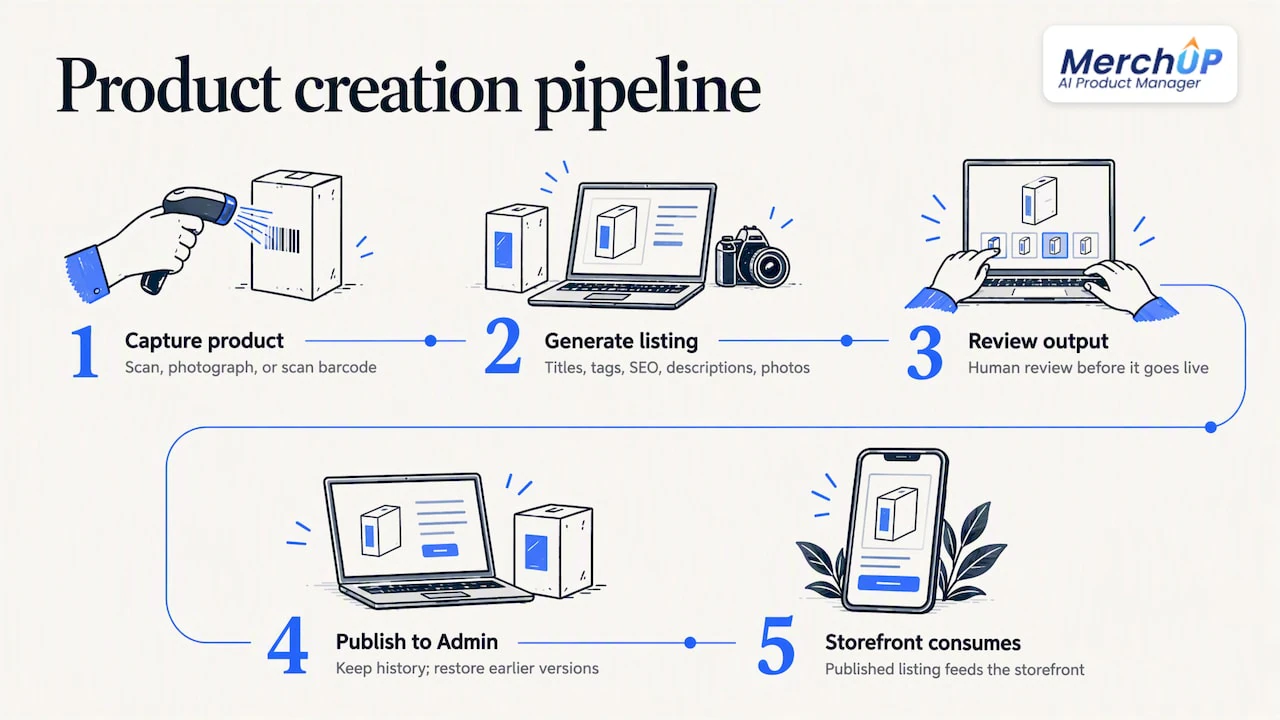
The fix is not to hire more writers for a week. It is to treat product creation as a pipeline: capture the product, generate a complete listing, review it, publish it to the Admin, and let the storefront consume it. That is what MerchUp AI is for. You scan or photograph a product, or scan a barcode, and it produces a full Shopify listing: title, type, vendor, price, tags and SEO. It writes the description into a designed template, creates AI product photos and publishes to the store. Everything is reviewed before it goes live, with full history and the ability to restore an earlier version.
Two things we would tell any Hydrogen team. First, agree the structure of the data before you generate anything in volume, so the templates match what your components expect. Second, keep a human review step. Speed is only useful when the output is something you would sign off.
— Jamie Moss
Filling the Admin at scale
Once your schema is settled, the work becomes repetition: dozens or hundreds of products, each needing a title, a description in house style, tags, SEO fields and images. A few approaches work well:
- Start with a pilot. Try 20 to 50 products first, check how they render on the storefront, then widen. Our piece on scaling Shopify product pages with AI describes this method, and the guide to piloting 50 to 200 SKUs covers the next step.
- Use templates, not free text. A designed description template gives you consistent structure, which suits Hydrogen because components can rely on predictable content. See bulk product descriptions with AI templates.
- Set up governance for teams. If several people publish, agree who approves what. Our article on governed templates for bulk generation shows one way.
- Know your editor. The Shopify product description editor workflow covers how to edit and approve in the Admin.
For trading-card and collectibles sellers the problem is sharper, because every card is a separate product. MerchUp AI identifies cards against real catalogues, prices them from the market and estimates centering and condition, so a card scan becomes a listing rather than a data-entry task. The same stock can then be bought, sold and traded in person with Shopify POS.
SEO across the whole catalogue
Hydrogen gives you the tags. Someone still has to choose the words. MerchUp AI does all your SEO in one click: it reads your store’s own Google Search Console data and live Google results, picks keywords, writes meta titles, descriptions and image alt text, checks rankings on live Google and pushes everything straight to the store. You do not need SEO knowledge, and every change is reviewed before it goes live, with full history and restore.
In a Hydrogen setup, the meta title and description land in the product’s SEO fields in the Admin, which your getSeoMeta call reads. That is the clean handover: content people and tools work in the Admin, developers keep the rendering code. For a comparison of the options in this space, see our roundup of Shopify SEO apps for AI product descriptions.
One caution on scope. MerchUp AI is available for Shopify now, and it works on the data in your Shopify store. Check your own storefront output after any bulk SEO update, since your Hydrogen code controls the final HTML.
A practical launch checklist
Before you point a domain at a new Hydrogen storefront, walk through this list:
- Schema agreed. Metafield and metaobject keys documented, with owners.
- Queries match the schema. Each product query requests every field a template uses and nothing more.
- Rich text renders on-brand.
RichTextcomponents mapped to your design system. - Every product has SEO fields. Unique meta title, description and alt text.
- Structured data present. JSON-LD for product pages through your meta export.
- Caching set per query. Static content cached longer, prices and stock fresh.
- Crawling allowed. No leftover blocks in
robots.txt, sitemap submitted. - Sample pages compared with the Admin. Ten products, side by side.
Try it on your own catalogue
If your Hydrogen storefront is waiting on product data, you can start MerchUp AI on the free plan. Paid plans are Starter at £12.99 a month, Growth at £34.99, Pro at £79.99 and Scale at £199.99 a month, and the card scanner add-on starts at £7.99 a month for 1,000 scans. See the plans and pricing, or watch the 30-second tutorial to see a listing built from start to finish.
FAQ
Where do I edit product content for a Hydrogen store?
In the Shopify Admin, as with any Shopify store. Hydrogen only changes how that data is displayed. Standard fields, metafields and metaobjects are edited in the Admin and fetched by your storefront through the Storefront API.
Why does my Hydrogen product page still show the old description?
Most likely caching. Hydrogen caches Storefront API data by default, so a changed description can lag behind the Admin if the query uses a long cache duration. Review the cache strategy for that query, and use a shorter or no-cache setting for content that changes often.
How do I handle SEO tags in Hydrogen?
Use Remix meta exports with the getSeoMeta utility, which renders titles, descriptions, canonical URLs and JSON-LD. It formats the SEO data you give it, so fill the product SEO fields in the Admin with unique, well-chosen titles and descriptions.
Can I use metafields for product specifications?
Yes. Query each metafield by its namespace and key, since the Storefront API does not return a whole namespace at once. For rich text values, render them with the RichText component so the markup matches your design.
Does MerchUp AI work with a Hydrogen storefront?
MerchUp AI creates and publishes listings, descriptions and SEO fields in your Shopify Admin. A Hydrogen storefront reads product data from there, so the content flows through once your queries request those fields. Test a few products on the live storefront to confirm.
Sources
- Shopify: Search Engine Optimization for Hydrogen
- Shopify: Building with the Storefront API
- Shopify: Caching Shopify API data with Hydrogen and Oxygen
- Shopify: RichText component
- Shopify: Dynamic content with metaobjects in Hydrogen
- Shopify Developer Community: fetching product metafields via the Storefront API
- Hydrogen: Summer '24 Edition announcement
- GitHub: Introducing improved SEO tooling


Comments
No comments yet — be the first to share what you think.