


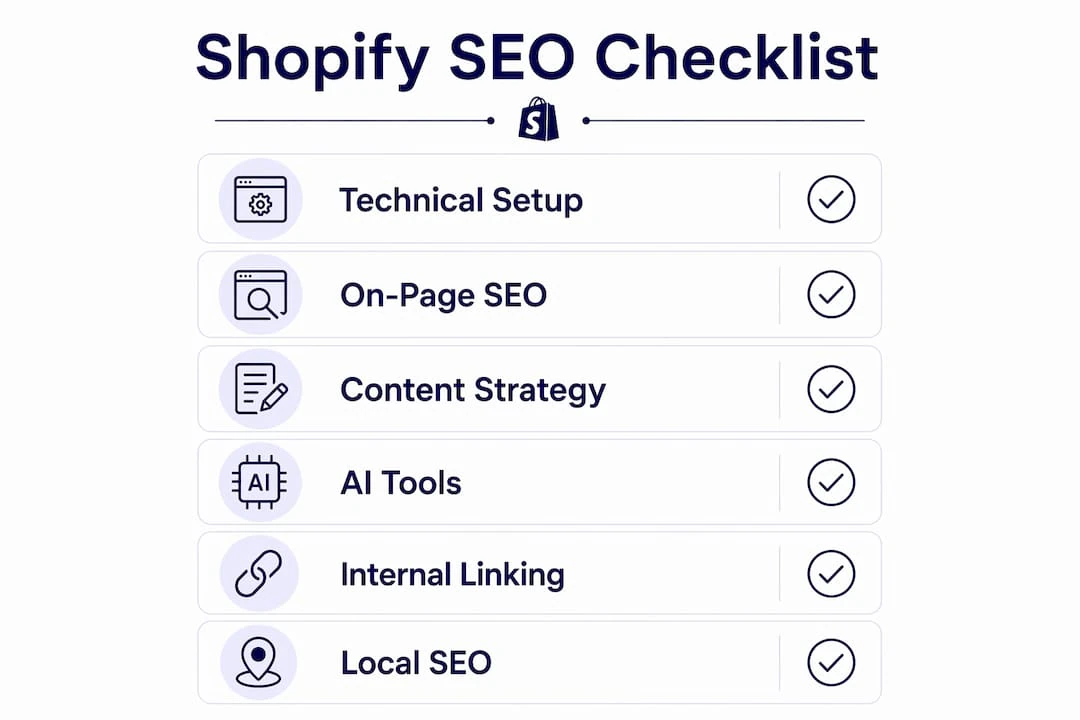
Your Shopify SEO checklist for 2026 breaks into four priority tiers, each building on the last:
-
Technical Foundation: site speed, SSL, sitemaps, robots.txt, canonical tags, mobile usability
-
On-Page Optimization: title tags under 60 characters, meta descriptions, heading hierarchy, image alt text, internal linking
-
Content Strategy: unique product descriptions, category page depth, schema markup, AI-assisted content creation
-
Off-Page Authority: quality backlinks, Google Business Profile, brand mentions
Run through all four tiers in order, then schedule a quarterly audit to catch ranking drops before they compound. Skipping the technical layer first is the most common mistake sellers make.
1. What technical foundation does your Shopify store actually need?
Technical SEO is the plumbing. Google cannot rank pages it cannot crawl, so fix this tier before touching anything else.
-
Site speed: Compress every product image to under 200KB, convert to WebP or AVIF format, and enable lazy loading for below-the-fold images. Remove unused Shopify apps because each one injects JavaScript that slows every page load.
-
SSL: Shopify enables HTTPS by default, but custom domains sometimes have configuration gaps. Verify every URL loads over HTTPS.
-
Sitemap: Your store’s sitemap lives at
yourstore.com/sitemap.xml. Submit it to Google Search Console and check for errors regularly. -
Canonical tags: Shopify auto-generates canonical tags to prevent duplicate content from products appearing under multiple collection URLs. Verify they point to the correct
/products/handlepath in your page source. -
Mobile usability: Google uses mobile-first indexing, so your mobile experience is your SEO experience. Test product pages, collection pages, cart, and checkout on a real phone. Tap targets should be at least 48x48px, and body text should not drop below 16px.
-
Faceted navigation: Filter combinations can generate thousands of near-duplicate URLs. Use canonical tags on filtered URLs pointing back to the main category page, and add noindex tags to thin filter pages. Never combine noindex with a
disallowin robots.txt for the same URL — if Googlebot cannot crawl the page, it cannot read the noindex directive, and the URL can remain indexed without a snippet.
Pro Tip: Shopify’s robots.txt.liquid file is the only bot-control surface the platform exposes. It does not exist in your theme by default — you create it manually in the code editor. Shopify’s own documentation warns that “incorrect use of the feature can result in loss of all traffic” and that Shopify Support cannot help with edits. If you need to customize it, change one rule at a time and validate in Google Search Console before touching anything else.
2. On-page optimization: what Google actually reads on your pages
Shopify handles sitemaps, canonical tags, and robots.txt automatically. What it does not do is write your metadata or build your internal links. That part is on you, and it is where most stores leave rankings on the table.
-
Title tags: Write a unique title for every page. Keep it under 60 characters, with the primary keyword near the front. A consistent format works well:
[Product Name] — [Key Benefit] | [Brand]for products,[Collection Name] — Shop [Category] | [Brand]for collections. -
Meta descriptions: Stay under 155 characters. Include the primary keyword and end with a reason to click. Treat it as ad copy, not a summary.
-
Heading hierarchy: Use one H1 per page. On product pages, that is the product title. Use H2s for features and benefits sections, H3s for supporting details. Do not skip levels.
-
Image alt text: Write descriptive alt text for every product image. Describe what is actually in the image, and include the relevant keyword naturally. This supports both accessibility and image search visibility.
-
Internal linking: Link every blog post to at least three relevant product or category pages. Add cross-sell links between related products. Pages without any internal links pointing to them are invisible to crawlers and shoppers alike.
Pro Tip: Before installing an SEO app, check what Shopify already handles natively. The platform manages sitemaps, canonical tags, basic Product schema, and clean URL structure automatically. Your effort is better spent on metadata, descriptions, and internal linking than on apps that duplicate what Shopify already does.
3. How to build a content strategy around AI-optimized product descriptions
Thin product content faces constant pressure from AI-generated search overviews. A 500–800 word product page that covers buyer personas, use cases, specifications, care instructions, and comparisons consistently outranks a 100-word page with the same keyword. For high-consideration purchases, 1,000–1,500 words is appropriate.
-
Unique product descriptions: Never copy manufacturer text. Shopify’s own documentation explicitly warns against it, and Google treats copied descriptions as thin content. Write from the buyer’s perspective: who the product is for, what problem it solves, how it compares to alternatives, and what care or setup it requires.
-
Category page content: Add 200–400 words of editorial text to every collection page. Most Shopify stores leave these pages as blank product grids, giving Google nothing to index. Include the target keyword naturally and add a secondary content block near the bottom — a buying guide, FAQ, or comparison table.
-
Schema markup: Implement Product, Offer, AggregateRating, and Review schemas in JSON-LD format. JSON-LD is the cleanest method because it sits separately from your visible HTML. Rich results with prices, availability, and review stars directly increase click-through rates from search results pages. For the full implementation walkthrough, see our guide to product schema markup.
-
AI-driven search readiness: AI search platforms like Google’s AI Overviews, Perplexity, and ChatGPT Shopping read the same product fields: title, description, images, specs, variants, and structured data. Detailed, well-structured content that answers user intent directly is what gets cited and surfaced.
Sellers building AI-powered product content for Shopify are already ahead of stores still relying on manufacturer copy. The gap between thin and detailed product pages will only widen as AI overviews capture more search real estate.
4. How to build off-page authority for your Shopify store
You cannot rank for competitive keywords on on-page work alone. Backlinks from relevant, authoritative websites remain a core Google ranking signal.
-
Quality backlinks: Focus on relevance over volume. A link from an industry publication or niche blog carries more weight than a dozen generic directory listings. Guest posts, original research, and linkable tools or calculators are the most reliable acquisition methods.
-
Google Business Profile: If your store has a physical location, claim and fully complete your Google Business Profile. It improves local visibility and adds credibility signals that benefit your broader domain authority.
-
Brand mentions and social proof: Unlinked brand mentions across the web contribute to off-page authority. Encourage product reviews on Google, Trustpilot, and industry-specific platforms. Monitor your backlink profile in Google Search Console and disavow obvious spam links.
5. Your quarterly SEO audit checklist for Shopify
SEO is not a one-time project. A quarterly review catches problems before they become ranking drops.
-
Core Web Vitals: Run a Core Web Vitals audit in Google Search Console. Largest Contentful Paint should be under 2.5 seconds, Cumulative Layout Shift under 0.1. Check key pages, not just the homepage — your product and category pages are where revenue is made.
-
Sitemap and crawl errors: Verify your sitemap is submitted and error-free in Google Search Console. Check for pages flagged as “Crawled — currently not indexed.”
-
Canonical and duplicate content audit: Review canonical tags on product variants and filtered collection URLs. Faceted navigation is the primary cause of index bloat in Shopify stores. Confirm filtered URLs are either canonicalized or noindexed correctly.
-
Broken links: Check for broken internal and external links. A broken link to a product page wastes crawl budget and frustrates shoppers.
-
Content freshness: Review product descriptions on your top 20 pages. Update specs, pricing, and use-case copy where it has gone stale. For discontinued products, use Shopify’s Unlisted status, which hides a product from search, the sitemap, collections, and internal search in a single toggle.
6. How AI tools help you create better Shopify product descriptions
AI has changed what “good” product content looks like. The stores winning in search are using AI to research intent, generate first drafts at scale, and maintain consistent brand voice across hundreds of SKUs.
-
Keyword research: Use AI to identify the specific queries buyers use at each stage of the purchase decision. Map those terms to individual product and category pages before writing a word of copy.
-
Description generation: AI tools can produce detailed, unique descriptions that go well beyond a feature list. The best outputs address buyer personas, answer common objections, and include care and usage details that thin competitor pages skip.
-
Bulk editing and templating: For stores with large catalogs, manually rewriting every product description is not realistic. AI-powered bulk editing lets you apply consistent structure and metadata across your entire catalog in a fraction of the time.
-
Structured metadata: AI can generate and maintain title tags, meta descriptions, and alt text at scale, keeping every field within character limits and aligned with your target keywords.
MerchUp is built specifically for this workflow. It generates SEO-optimized product descriptions, supports bulk publishing directly to Shopify, and includes a visual editor and customizable templates so you can maintain brand voice without rewriting every output from scratch. For sellers managing dozens or hundreds of products, MerchUp’s AI description tools cut the time spent on content while improving the depth that search engines reward.
Pro Tip: When using AI for product descriptions, always review outputs for factual accuracy before publishing. AI drafts are a starting point, not a finished product. The goal is speed on structure and depth, with human review on claims and brand fit.

7. How navigation and internal linking shape your Shopify store’s SEO
Site architecture is how Google understands what your store is about and which pages matter most. A flat, logical hierarchy keeps your most important pages within a few clicks of the homepage.
The most effective structure follows a simple path: Homepage to Category to Subcategory to Product. Pages buried more than four or five clicks deep risk being ignored by crawlers. Your navigation menu should link directly to your top categories, and every page on the site should have at least one internal link pointing to it. Orphan pages — those with no internal links — are effectively invisible.
Internal links from blog posts to product and category pages pass authority from your content to your commercial pages. Every blog post should link to at least three relevant product or collection pages. Every product page should link to related products. This web of links signals topical authority to Google and keeps shoppers moving through your catalog.
URL structure matters too. Keep slugs short, keyword-rich, and human-readable. /collections/running-shoes beats /collections/all-our-running-shoes-and-athletic-footwear on every metric.
8. Local SEO for Shopify stores with physical locations
If your store has a physical presence, local SEO is a separate layer worth building deliberately.
Claim and fully complete your Google Business Profile with accurate hours, address, phone number, and product categories. Add photos and respond to reviews consistently. Shopify’s Contact Us page should include your full address and a Google Maps embed. For stores serving specific regions, create location-specific landing pages that target city or neighborhood-level keywords. List your store on major directories like Yelp, Apple Maps, and industry-specific platforms, keeping your name, address, and phone number identical across every listing. Inconsistent NAP data confuses both Google and potential customers.
MerchUp handles the hardest part of Shopify product SEO at scale. Generate detailed, keyword-optimized descriptions, bulk-publish directly to your store, and maintain consistent metadata across your entire catalog without manual rewrites. Start with MerchUp and see how much faster your product content comes together.


Comments
No comments yet — be the first to share what you think.