



A product meta description is the short summary that can appear under your product page’s title in Google results. It is not a direct ranking factor, but it works like ad copy for your listing: a clear one tells shoppers what the product is and why to buy it from you, and that earns the click. Below you will find a simple formula, worked examples, the length question answered honestly, Shopify steps and a way to cover a large catalogue without writing every line by hand.
TL;DR
- A meta description does not directly lift rankings, but it can lift click-through by acting as the sales pitch under your title.
- Answer two questions fast: what is the product, and why buy it from your store? Lead with the most useful detail.
- Aim for roughly 150 to 160 characters, but put the key benefit first, because Google truncates by width and may rewrite your text anyway.
- Every product needs its own description. Duplicated or manufacturer text makes your pages harder to tell apart.
- On a big catalogue, generate drafts with AI, review them, and keep a history so you can restore anything.
What a product meta description does
A meta description is a tag in a page’s HTML that suggests a summary for search results. Google says it uses the page content to decide the snippet automatically, and it may use the tag when that describes the page better than the visible text does. In other words, you propose, and Google decides.
That has two practical consequences.
- It will not fix a weak page. If your product page is thin, Google may pull a line from it instead of your tag.
- It is still worth writing. When Google does use it, you control the pitch shoppers see next to your competitors’ listings.
Shopify’s own guidance says that the title tag and meta description are two of the most important elements of SEO because they appear in search results and tell people what your product is. Treat the meta description as the second line of an advert whose first line is the page title.
Meta title and meta description: who does what
The two are often confused, so keep the jobs separate.
| Element | Main job | What to put in it |
|---|---|---|
| Meta title (title tag) | Tell Google and shoppers what the page is | Product name, the key descriptor, brand if there is room |
| Meta description | Persuade the click | Benefit, proof, a reason to buy from you, a light call to action |
Get the title right first, because it carries more weight in how a page is understood. If your product titles are weak, our guide to optimising product titles for search and ad performance is the place to start. Then write the description to complement the title rather than repeat it.
A simple formula for product pages
Shopify’s advice boils down to answering what the product is and why someone should buy it from this store. Here is a structure that does that in a single breath:
Product + defining attribute + proof or offer + soft action
- Product and attribute: what it is, and the one detail that separates it (material, size, use, edition).
- Proof or offer: a shipping promise, warranty, returns policy or review count, only if it is true for your store.
- Soft action: a short verb such as shop, see, compare or order.
Shopify suggests using actionable language and offers such as free shipping to make a result stand out. Only mention offers that stay true all year, or you will have to rewrite descriptions every time a promotion ends.
Worked examples
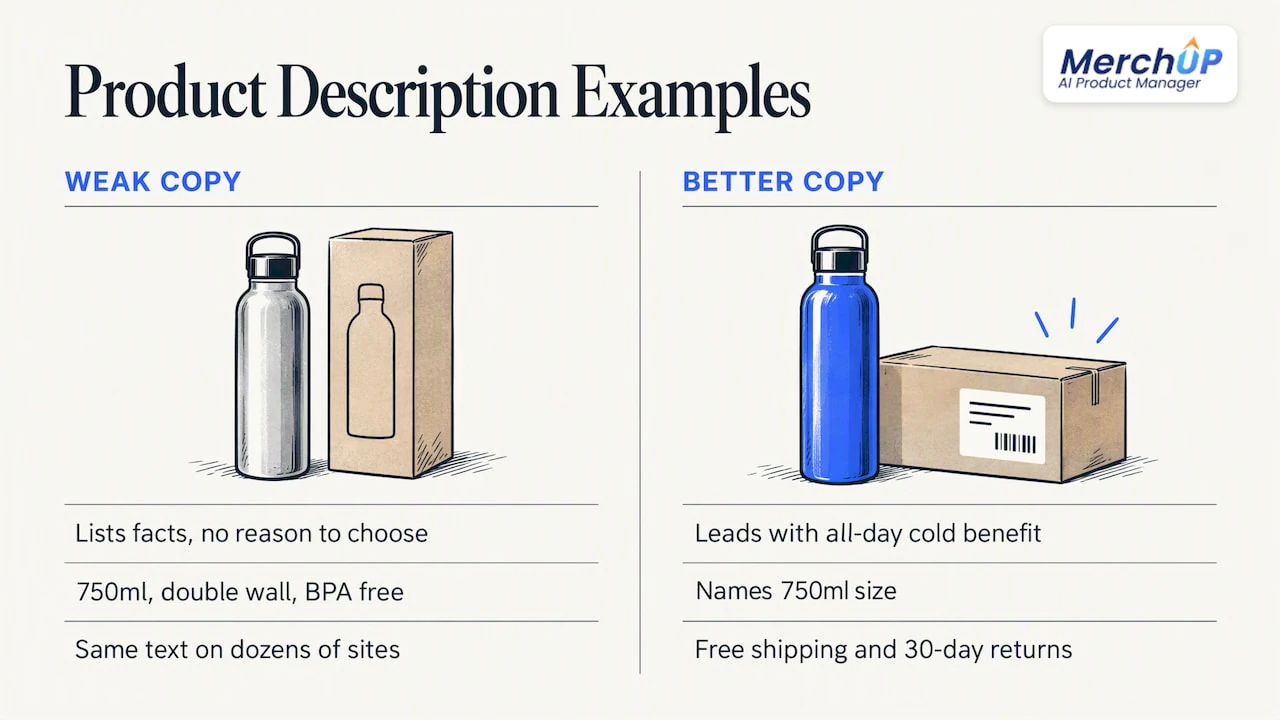
These are illustrations of the formula, not real listings.
Weak (copied from a supplier):
Stainless steel water bottle. 750ml. Double wall. BPA free. Available in multiple colours.
It lists facts but gives no reason to choose your store, and the same text probably appears on dozens of other sites.
Better:
Keep drinks cold for a full day with this 750ml double-wall steel bottle. Six colours, free US shipping over $50 and 30-day returns.
It leads with the benefit, names the size, and ends on store-specific reassurance. It is also short enough to survive most truncation.
A trading card example:
1999 Base Set Charizard, graded and photographed front and back. Condition notes included. Ships insured from our shop.
For collectibles, condition, edition and what the buyer actually receives are the details that settle the click.
How long should it be?
There is no official limit. Google’s documentation says snippets are truncated as needed, depending on the device. The common benchmark is around 155 to 160 characters: Search Engine Land cites 155 characters or less, and Shopify treats 160 characters as a sensible target.
In practice:
- Keep descriptions between about 120 and 160 characters.
- Put the benefit and the product name in the first 100 characters, so a mobile cut-off does not hide them.
- Do not pad. A crisp 125-character line beats a rambling 190-character one.
- Do not stuff keywords. Use the main phrase once, naturally.
Width varies by device and by letters used, so treat any character count as a guide, not a guarantee.
Why Google sometimes ignores yours
Google may swap in text from your page when it matches the searcher’s query better. You can reduce how often this happens:
- Match the page. If the description promises something the page does not say, Google has little reason to trust it.
- Write for the query. Reflect what shoppers actually search for, not what your supplier calls the product.
- Make the on-page copy strong. A clear, well-structured product description gives Google better text to fall back on. See our product description structure guide and copy-and-paste product description templates.
Shopify also notes that search engines may rewrite this text, so never rely on one exact sentence to carry a launch.
Mistakes that cost clicks
Duplicate descriptions
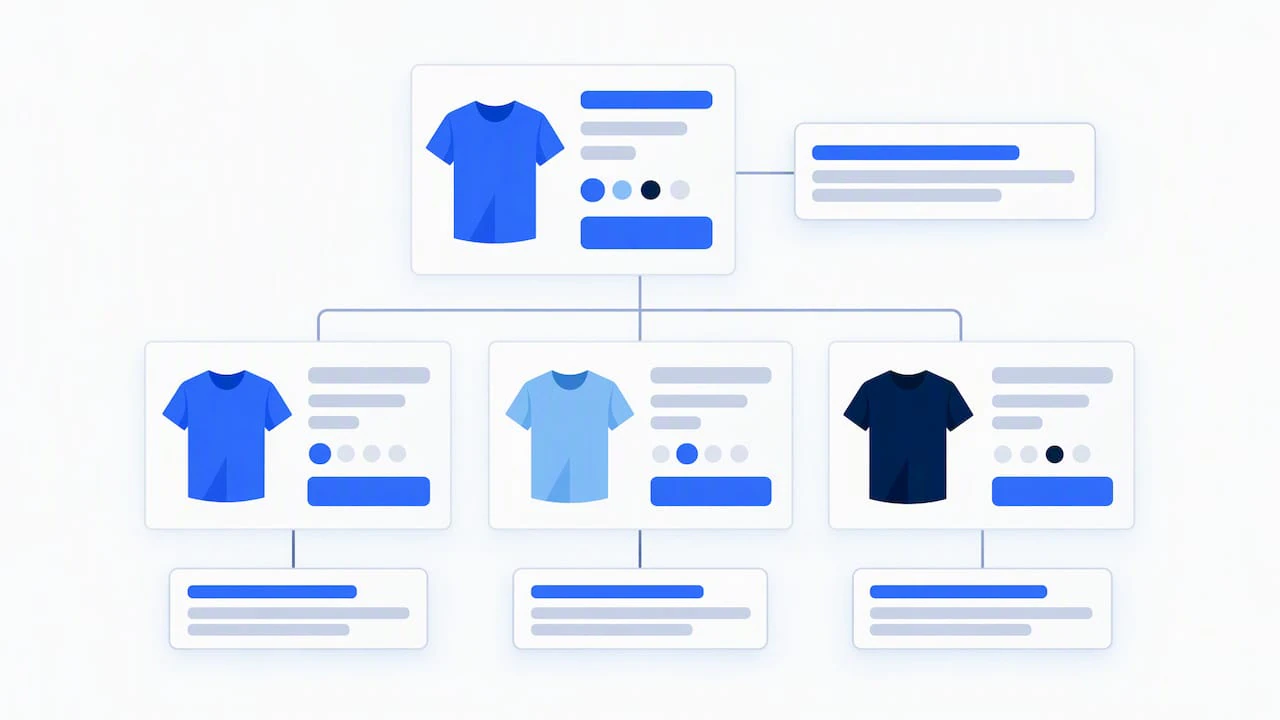
If every product in a collection shares the same boilerplate, search engines have less to separate those pages by, and shoppers see identical snippets. Shopify’s help centre stresses that each page benefits from its own title and description. Variants of one product should be handled with care: write one strong description for the parent page rather than copying it dozens of times with a colour swapped.
Copying the manufacturer
Supplier copy is used by every other reseller. It is the quickest route to a page that looks like everyone else’s. Rewrite it around the buyer’s question, not the spec sheet.
Writing for robots
A string of keywords reads badly and gets ignored. Write a sentence a person would be glad to read.
Forgetting the rest of the listing
A persuasive description can be undone by a vague title or missing structured data. Our guide to Shopify product schema explains how price, availability and reviews can support your listing.
How to edit a product meta description in Shopify
In Shopify, the description sits in the search engine listing section of each product. Shopify’s help centre documents the steps, which in short are:
- In your admin, open Products and select the product.
- Scroll to Search engine listing and choose to edit the listing.
- Update the page title and description fields.
- Save, then check the preview.
Shopify’s developer documentation also confirms that the page title and meta description are the meta tags you change to alter how a product, page or collection appears in search results. If you leave the field blank, Shopify falls back to your product description, which is rarely the sharpest summary.
WooCommerce, Webflow and others
The writing rules above apply on any platform, because Google reads the HTML tag wherever it comes from. The editing screens differ: WooCommerce stores usually rely on an SEO plugin field, and Webflow has its own SEO settings per page. MerchUp AI is available for Shopify today; Webflow, Wix and WordPress support is coming soon. We would rather say that plainly than promise support we have not shipped.
Checking your work with real data
Writing a good line is half the job. The other half is knowing which products deserve attention.
- Search Console: look at pages with plenty of impressions but a low click-through rate. They are shown, but the snippet is not persuading. Those are your first rewrites.
- Queries: see which searches already bring each product impressions, and work the closest-matching phrase into the description.
- Live results: search your own product phrase in Google and read what competitors say. Differentiate on shipping, guarantees, condition, bundles or expertise.
Change a handful of pages at a time and give Google a few weeks to re-crawl before judging the results. Changing everything at once makes it impossible to learn what worked.
If your store competes in a crowded category and you want a human specialist on top of the tools, an ecommerce SEO service can add outside support to your in-house effort.
Our view: scale needs a human in the loop
We built MerchUp AI because we kept seeing the same pattern. A store owner adds new products every week, writes a careful description for the first twenty, then runs out of time. The next two hundred go live with a copied supplier line or nothing at all.
That is the gap between knowing the best practice and applying it. We think the answer is neither writing every line by hand nor letting a tool publish unchecked text. Automation should do the repetitive work: read what the store’s own Google Search Console data says, check the live results, and draft a unique title, description and image alt text for each product. A person should then see the change before it goes live.
That is how MerchUp AI works. It does all your SEO in one click, with no SEO knowledge needed, and every change is reviewed before it goes live, with full history and restore. If a description does not sound like your shop, you reject or roll it back.
Our advice for any seller: start with your best-selling and highest-impression products, write those with care, and use automation to bring the long tail up to the same standard. Consistency across the catalogue matters more than perfection on a few pages.
— Jamie Moss
Doing it across a whole catalogue
Here is a workable routine for a store with hundreds of products.
- Audit. Export your products and mark any with blank, duplicated or supplier-copied descriptions.
- Prioritise. Start with products that already earn impressions in Search Console.
- Create a pattern, not a template that repeats. Decide the order (benefit, attribute, store proof) but let the content change for each product.
- Draft in bulk, review in batches. Read each draft for accuracy, tone and claims you can honestly make.
- Measure. Revisit click-through for the changed pages after a few weeks.
For the on-page copy that sits beneath your meta tags, see our guides to bulk product descriptions, AI product descriptions that convert and the 30/60/90 playbook for AI product page optimisation.
Where MerchUp AI fits
MerchUp AI is an AI product manager for Shopify stores. It can turn a product photo, barcode or trading-card scan into a full listing, write the description into a designed template, create AI product photos and publish. For SEO, it picks keywords from your own Google Search Console data and live Google results, writes meta titles, descriptions and image alt text, checks rankings and pushes it all to your store.
There is a free plan, and paid plans run from Starter at £12.99 a month through Growth at £34.99, Pro at £79.99 and Scale at £199.99 a month. See the pricing page for what each includes, or watch the tutorial to see a product go from photo to listing.
FAQ
Do meta descriptions help product pages rank?
Not directly. Meta descriptions are not a ranking factor, but they shape how your listing looks and can influence whether people click. Better click-through from the same position means more visitors without extra ranking work.
How many characters should a product meta description be?
There is no fixed limit, so use roughly 120 to 160 characters as a guide. Google truncates by width on each device, so put the product name and main benefit near the start. Anything after about 160 characters may be cut.
Why does Google show something different from my meta description?
Google builds snippets mainly from page content and may use your tag only when it describes the page well. If the page text matches the search query better, Google will often pull that instead. Make the tag accurate, specific and consistent with the page.
Can I use AI to write product meta descriptions?
Yes, if you review the output. AI is useful for drafting unique descriptions across many products, but each one should be accurate, readable and varied. Keep a record of changes so you can restore an earlier version.
Should every product variant have its own meta description?
Usually no. Write one strong description for the main product page, and avoid copying near-identical text across variants. Reserve separate descriptions for pages that genuinely target different searches.
Sources
- Google Search Central: snippets and meta descriptions
- Shopify Blog: how to write meta descriptions
- Shopify Help Center: adding keywords for SEO
- Shopify Enterprise Blog: SEO product descriptions
- Shopify.dev: optimise storefront SEO
- Search Engine Land: how to write SEO-friendly meta descriptions


Comments
No comments yet — be the first to share what you think.