


Treat multilingual product descriptions as localisation projects, not simple translations: use structured templates, SEO mapping and a hybrid machine-plus-human workflow. The fastest route to scale is a tiered, template-driven process built for your whole catalogue rather than one page at a time. Start your first sprint by identifying your top two or three locales by revenue potential and building a single canonical template before you translate anything.
TL;DR:
- Focus on building a single canonical template in your primary language to ensure consistency and simplify translation and adaptation for all locales.
- Prioritize translating and localizing titles and first few bullets since they most influence purchase decisions and search visibility in each market.
- Use a tiered translation approach: machine translation with post-editing for low-value SKUs, and professional human translation for top-selling or regulated products.
- Implement hreflang tags, separate URLs, and localized assets to improve search engine mapping and ensure a fully localized shopping experience.
- Start with high-impact products and one locale, automate workflows, and measure results to scale localisation efforts effectively across multiple markets.
Translation versus localisation: what product descriptions actually need
Translation swaps words from one language to another. Localisation goes further: it adapts tone, imagery, measurements and legal text so the content feels native to the market it serves. The W3C i18n glossary defines internationalisation (i18n) as the design work that lets a product support multiple languages, and localisation (l10n) as tailoring content and formats to a specific market, a process that includes but is not limited to translating text.
For product descriptions, that distinction has real consequences. A size chart built in inches confuses a shopper expecting centimetres. A persuasive tone that works in one market can read as pushy or oddly formal in another. Legal disclaimers, warranty language and safety text often need market-specific wording, not a literal rendering of the source copy.
Get this wrong and the damage shows up in three places:
- Discovery: pages translated word-for-word rarely match how people actually search in that language.
- Conversion: stilted phrasing or mismatched units create hesitation at the point of purchase.
- Post-purchase experience: confusing sizing or care instructions drive returns and support tickets.
Treat every new locale as a small localisation project with its own checklist, not a translation memory job.
Content strategy and templates for multilingual product descriptions
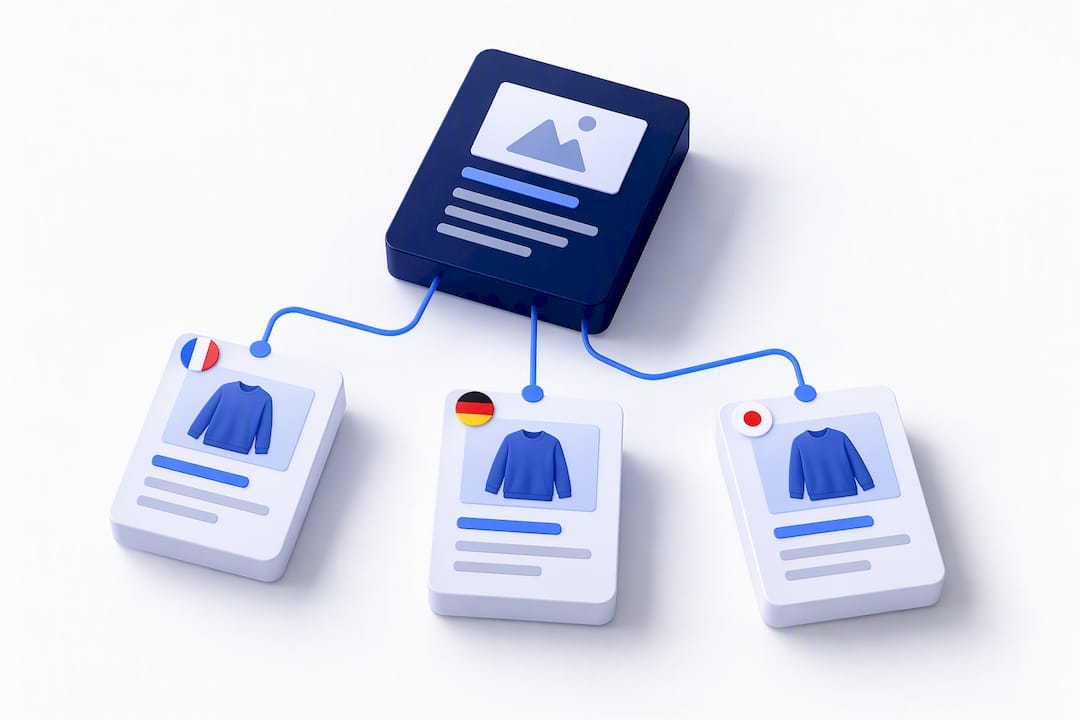
A reusable template is what makes multilingual catalogues manageable at scale. Build one canonical source template in your primary language, then translate and adapt from it rather than letting every locale drift into its own structure.
- Standardise your fields: title, three to five short bullets, a long-form paragraph, a specifications table, SEO meta title and description, and image alt text.
- Assign field IDs: give each field a stable identifier so translation tools and your product information management (PIM) system can map content without guesswork.
- Export in a translation-friendly format: structured exports (CSV or XML with field IDs intact) keep translators focused on content, not formatting.
- Map keywords per locale: the phrase that ranks in one language rarely translates directly, so research search terms locally rather than translating your source keyword list.
- Rank fields by conversion impact: titles and the first two bullets tend to move buying decisions most, so prioritise human review there before spending budget on long-form copy.
Our own guide to product description templates walks through field-level examples if you want a starting structure to adapt.
Pro Tip: Keep a locked “source of truth” template in your primary language and never let translators edit its structure, only its content.
Translation workflows: machine output, post-editing and human translators
Not every SKU deserves the same translation budget. A tiered approach matches effort to value.
- Low-value or long-tail SKUs: machine translation with a light post-edit pass catches errors without slowing down bulk publishing.
- Top sellers and hero products: professional human translation protects the persuasive copy that carries the most weight in conversion.
- Regulated categories: anything with safety, medical or legal claims needs a qualified human translator, not machine output alone.
- Glossaries and style guides: a shared glossary of brand terms and a short style guide reduce revision cycles and keep voice consistent across locales.
Amazon’s own listing translation guidance recommends exactly this hybrid model: machine-assisted tools for scale, paired with vetted professional translators for production-quality listings on country-specific stores. The same logic holds on any platform.
Operationally, the handoff between product, localisation and marketplace teams is where most delays happen. Agree upfront on who owns final sign-off for each locale, what counts as a blocking error versus a stylistic note, and how corrections flow back into your canonical template so the next export is cleaner than the last.
Technical implementation and international SEO for multilingual pages
Getting the copy right means nothing if search engines cannot map it to the correct audience. Google Search Central’s guidance on localised versions sets out the core rules for hreflang implementation.
- Use self-referencing hreflang tags on every page, including the one you are currently marking up.
- Add bidirectional return links so each language version points to every other version, not just one direction.
- Include an x-default tag as a fallback for visitors whose language or region does not match any specific version.
- Prefer separate URLs per language or locale over dynamically served content, since dedicated URLs index and rank independently.
- Choose your URL structure early: subfolders are simplest to maintain, subdomains split authority slightly, and country-code top-level domains (ccTLDs) signal geography strongly but cost more to run.
- Use BCP 47 language tags and per-element
langattributes on mixed-language pages, as recommended in W3C’s authoring guidance on language declarations.
Google does not rely on the HTML lang attribute to detect page language for indexing purposes, according to Google Search Central; hreflang remains the primary signal, so a correctly implemented tag set matters more than tidy markup alone.
Shopify’s own localisation and translation documentation confirms that stores can activate multiple languages with separate URLs, using supported translation apps or CSV import, which fits neatly with the separate-URL approach above.
Localising non-text assets and the wider shopping experience
Words are only part of the picture. Sizing charts, packshots and in-image text need their own localisation pass, and imagery that resonates in one market can fall flat or misfire culturally in another.
- Localise any text baked into images, including size guides, feature callouts and infographic labels.
- Convert units, currencies and date formats per locale, and check that checkout and shipping copy use the same conventions as the product page.
- Store locale-specific assets with clear fallbacks in your PIM or CMS so a missing translation defaults gracefully rather than showing blank fields or the wrong language.
- Review packshots for cultural fit: colours, gestures and settings carry different associations across markets.
A shopper who reaches checkout after reading a perfectly localised description, only to hit an untranslated shipping page or a currency mismatch, loses confidence at the worst possible moment. Treat the whole path, not just the product page, as part of the localisation scope.
QA and linguistic testing before anything goes live
A short, disciplined QA pass catches the errors that damage trust fastest.
- Run a glossary compliance check to confirm brand terms and product names are used consistently.
- Review content in context, inside the actual page layout, not in a spreadsheet, to catch tone and readability issues.
- Check functional details: currency formatting, working links, character encoding and any UI labels that truncate in longer languages.
- For large catalogues, use a small panel of native-speaking reviewers or sample-based spot checks rather than reviewing every single SKU line by line.
Pro Tip: Reserve full linguistic review for your highest-traffic SKUs and rely on sample-based spot checks for the long tail; it catches most errors at a fraction of the effort.
Measuring the impact of multilingual listings
Track locale-specific conversion rate, revenue per visit and organic impressions for language-specific queries to see whether localisation is actually paying off, not just shipping.
- Run an A/B test comparing post-edited machine translation against fully human-translated copy on a sample of SKUs to quantify the conversion difference.
- Measure the SEO lift from moving a locale onto separate translated URLs versus a dynamically served version.
- Segment analytics by language and locale rather than relying on country-level views alone.
- Use UTM parameters on any localised campaigns so traffic sources stay distinguishable from organic locale traffic.
- Capture keyword intent per locale upstream, since search behaviour shifts by language even within the same country.
Partner resources such as Multilingual SEO Content offer additional detail on keyword mapping across languages if you want to go deeper on the SEO side of measurement.
MerchUp: operationalising the workflow above
MerchUp is built around the catalogue-first workflow this guide describes rather than one-off page edits.
- Bulk generation: create and publish descriptions across large catalogues from customisable templates rather than editing SKUs one at a time.
- Visual editor: adjust structure and tone per template without touching code, useful when adapting a canonical template for a new locale.
- Shopify publishing: push generated and edited content live directly to connected stores.
- SEO optimisation: built-in checks help keep translated and localised fields aligned with search intent.
A practical rollout: audit your existing catalogue, build one canonical template, pilot it on a single locale, measure the uplift, then extend to the next market.
What actually matters when you scale this
The biggest mistake teams make is treating every SKU equally. Start with your highest-impact products and one locale, automate the safe, low-risk parts first, and put human review where the copy genuinely persuades. Assign a named owner for the glossary, for measurement and for legal sign-off, because shared ownership usually means no ownership. Once the process works for one locale, automate exports from your PIM, keep the glossary centralised, and keep measuring rather than assuming the first version is the final one.
— Jamie Moss
Get your catalogue translation-ready with MerchUp
Building canonical templates and publishing them across locales is exactly the kind of repetitive, structured work MerchUp handles: bulk generation from a single template, a visual editor for local adjustments, and direct Shopify publishing, so your team spends less time on manual reformatting and more on the markets that need human judgement.

This fits teams with medium to large catalogues, Shopify merchants expanding into new locales, and merchandisers who need consistent multilingual content without rebuilding templates from scratch each time. Plans are available in several tiers to suit different catalogue sizes. Check current pricing and plans to find the tier that matches your catalogue size., or try the 30-second tutorial to see the workflow in action.
Sources
- W3C i18n glossary
- Google Search Central — localized versions
- Shopify help — localization and translation
- Amazon listing translation guidance
FAQ
What does “multilingual” mean?
Multilingual means content or a system that operates in more than one language. For product descriptions, it means the same product information exists in several languages, ideally localised rather than translated word-for-word, as the W3C glossary distinguishes.
Can you give an example of a multilingual ecommerce site?
Any online store that activates multiple storefront languages with separate URLs per locale qualifies, a setup Shopify’s localisation documentation describes directly for merchants using supported translation apps or CSV import. Amazon’s country-specific stores work on the same principle, with product detail pages translated per market.
What are the key features of multilingualism in product content?
Strong multilingual product content combines translated copy with localisation: adapted tone, correct units and currency, culturally appropriate imagery, and technical markup such as hreflang and BCP 47 language tags so search engines map each version correctly. Functional QA, including checks for broken links and encoding issues, is part of the same picture.
Should I use machine translation or human translators for product descriptions?
A hybrid approach works best for most catalogues: machine translation with light post-editing for lower-value SKUs, and professional human translation for top sellers or regulated content. Amazon’s guidance recommends this tiered model to balance speed against conversion risk.
How do I structure URLs for multilingual product pages?
Separate URLs per language or locale are preferred over dynamically served content, since they index and rank independently, according to Google Search Central. Subfolders are the simplest to maintain, while ccTLDs signal geography more strongly but cost more to run and manage.


Comments
No comments yet — be the first to share what you think.